The CEO Dashboard: Metrics Every Business Must Track in 2026
Why Every Small Business Needs a CEO Dashboard
In 2026, running a successful small business is about data-driven decision making. Without the right metrics at your fingertips, you’re flying blind—making guesses about revenue, sales, and client behavior.
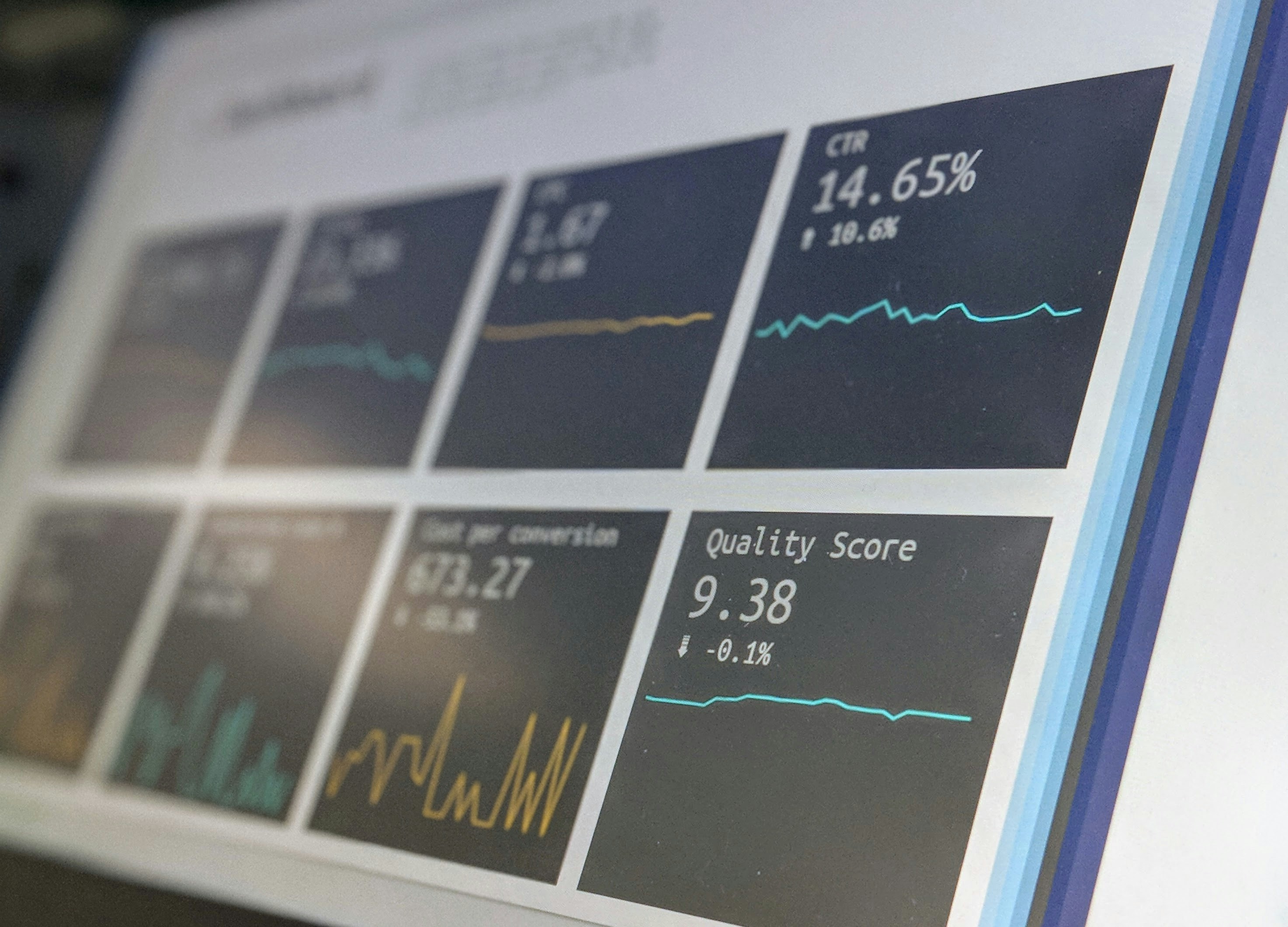
Enter the CEO Dashboard: a single, visual interface that shows every critical metric in real time. With a dashboard, you can quickly answer questions like:
How many leads are in my pipeline?
Which marketing campaigns are converting best?
Are we hitting revenue targets?
Which team members need support?
This article will guide you through:
Why a CEO dashboard is essential for small businesses
Key metrics every business must track in 2026
Setting up dashboards in GHL
Integrating multiple systems for a unified view
How to use the dashboard for decision-making
Real-world examples of dashboard insights
Actionable CTA to get your custom dashboard
By the end, you’ll understand how to turn raw data into actionable insights that drive growth.
1. The Importance of a CEO Dashboard
Small business owners face a common challenge:too much data, not enough clarity. Spreadsheets, emails, and scattered apps make it hard to see what’s working and what’s failing.
A CEO dashboard solves this by:
Consolidating all key metrics in one place
Providing real-time insights for quick decisions
Highlighting bottlenecks in sales, operations, or marketing
Enabling forecasting and strategic planning
Tracking team performance and accountability
A CEO dashboard is not just a reporting tool—it’s a growth engine.
2. Key Metrics to Track in 2026
A. Lead & Sales Metrics
Leads Generated: Number of new leads per week/month
Lead Source: Organic, paid, referral
Pipeline Stages: Number of leads at each stage
Conversion Rate: Percentage of leads converting to clients
Revenue Forecast: Expected revenue from pipeline
B. Marketing Metrics
Campaign Performance: Email, SMS, funnel conversion rates
Click-Through & Open Rates: Measure engagement
ROI by Channel: Paid ads vs organic efforts
Lead Nurture Effectiveness: Email & SMS sequences
C. Operational Metrics
Appointments Scheduled & Attended
Project Completion Rates
Client Onboarding Timelines
Team Productivity & Task Completion
D. Financial Metrics
Revenue & Profit Margins
Average Deal Size
Customer Lifetime Value (CLV)
Recurring Revenue Metrics
Tracking the right metrics ensures you focus on actions that impact growth, not vanity numbers.
3. Setting Up Your Dashboard in GHL
GHL allows small businesses to create custom dashboards that track everything in real time:
Step 1: Define Your Goals
Decide what you want to monitor: leads, sales, team performance, revenue
Keep it high-level for the CEO perspective
Step 2: Select Key Metrics
Limit to 10–15 metrics for clarity
Focus on metrics that drive decisions
Step 3: Build Dashboard Widgets
Pipeline overview
Lead sources
Appointment calendar
Revenue & sales analytics
Task completion & team KPIs
Step 4: Automate Data Integration
Connect all GHL pipelines, funnels, forms, and campaigns
Pull financial data from accounting software if needed
Step 5: Visualize for Clarity
Use charts, graphs, and color-coded alerts
Highlight KPIs that are below target
4. Integrating Multiple Systems
To get a complete view, integrate:
CRM & Sales Pipelines→ Lead tracking, follow-ups, conversions
Marketing Automation→ Campaign performance metrics
Appointment & Booking Tools→ Attendance rates and schedules
Financial Software→ Revenue, invoices, and recurring payments
Integration reduces data silos and ensures every metric tells a complete story.
5. Using the Dashboard for Strategic Decision-Making
A. Daily Monitoring
Quickly check lead volume, conversion rates, and revenue
Identify immediate bottlenecks
B. Weekly Planning
Review team performance
Adjust marketing campaigns based on KPIs
Forecast upcoming revenue
C. Monthly Analysis
Compare KPIs against targets
Identify trends and seasonal patterns
Make budget and resource allocation decisions
D. Quarterly Review
Evaluate business growth and strategy
Set new objectives and OKRs
Identify automation or system improvements
The dashboard turns raw numbers into actionable decisions.
6. Real-World Examples of CEO Dashboards
Example 1: Service-Based Business
Leads, appointments, and revenue tracked in one view
Identified drop-off in follow-ups → automated SMS sequence implemented
Result: 25% increase in monthly consultations
Example 2: Coaching Business
Dashboard revealed high engagement from webinar leads
Adjusted marketing spend to target this source
Result: 40% increase in program enrollment
Example 3: Product-Based Business
Revenue metrics revealed certain products underperforming
Adjusted offers and funnels based on dashboard insights
Result: 15% increase in monthly revenue
7. Common Mistakes to Avoid
Tracking too much data: Focus on metrics that drive decisions
Outdated dashboards: Ensure data refreshes automatically
Ignoring alerts: Use the dashboard to identify problems early
No team access: Share relevant metrics to ensure accountability
Failing to adjust: Refine KPIs as business evolves
8. Actionable Steps to Build Your CEO Dashboard
Identify Key Metrics: Focus on high-impact areas like leads, revenue, conversions
Choose a Platform: GHL is ideal for CRM + automation + dashboard integration
Set Up Widgets & Visuals: Pipeline, revenue, appointments, KPIs
Automate Data Collection: Connect forms, funnels, financial software
Review Daily & Weekly: Track trends, adjust campaigns, coach team
Iterate & Optimize: Remove vanity metrics, add new KPIs as needed
A clear CEO dashboard allows you to make informed decisions in minutes, not hours.
9. The ROI of a CEO Dashboard
Tracking the right metrics and automating insights leads to:
Faster decision-making → Avoid missed opportunities
Higher revenue → Identify and fix leaks in the funnel
Better client experience → Track onboarding, satisfaction, and follow-ups
More efficiency → Focus team on high-impact tasks
Predictable growth → Forecast revenue accurately
Investment in a dashboard pays off bysaving time, improving conversions, and growing revenue.
10. Conclusion: Your Data Should Work for You
A CEO dashboard isn’t just for large corporations — small businesses in 2026 can leverage dashboards to compete at scale.
With GHL, automation, and the right metrics:
See your entire business in one place
Make data-driven decisions daily
Track performance, revenue, and team productivity
Optimize strategies for growth and profitability
Stop guessing. Start tracking. Let your data drive decisions that grow your business.
Get Your Custom Dashboard Setup
BBI Consultants will:
Audit your current data and reporting systems
Build a custom CEO dashboard in GHL with your key metrics
Automate data collection and visualization
Train your team to use the dashboard for strategic decisions


